
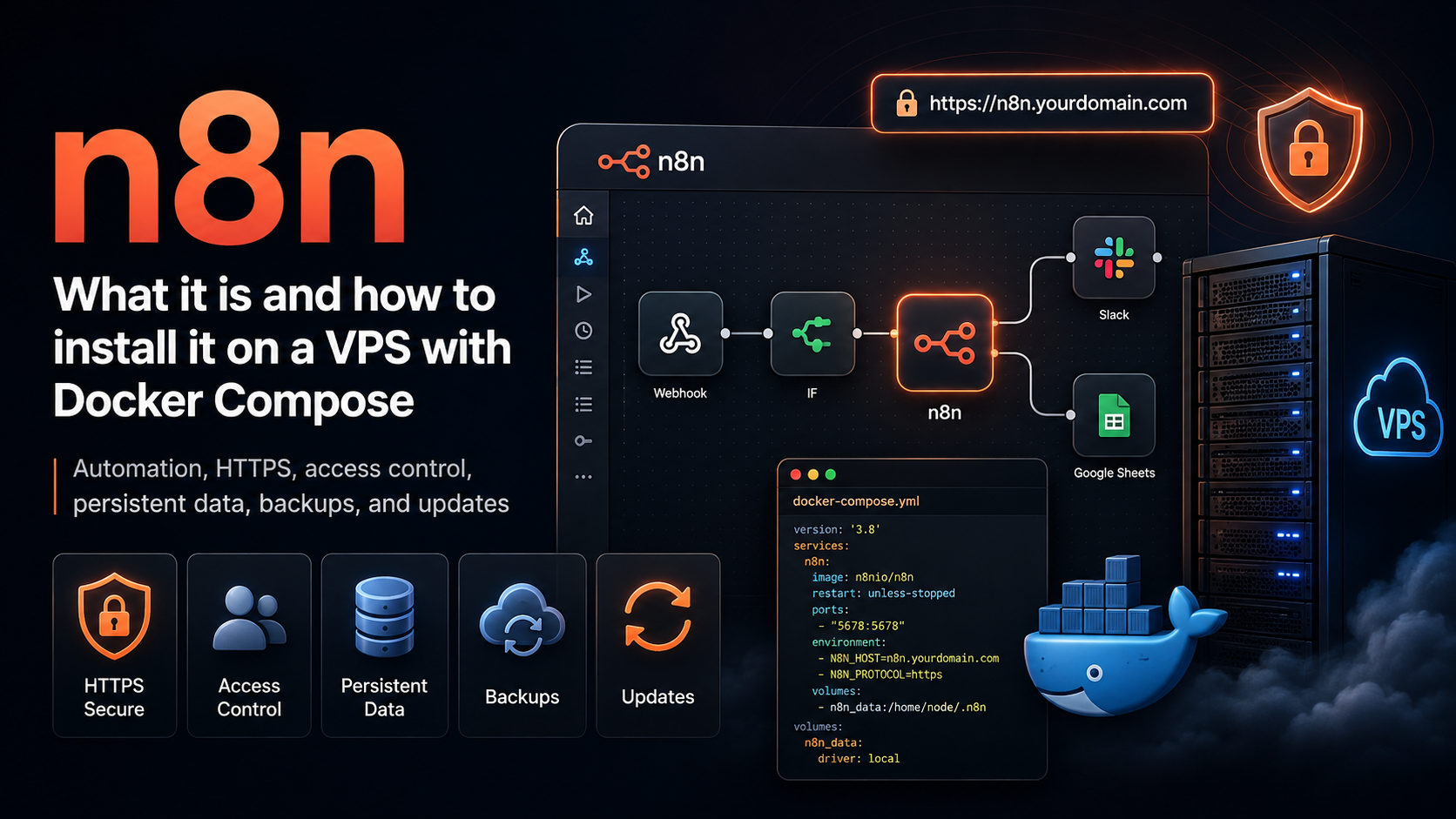
n8n on a VPS: your own automation platform without manual busywork
A request arrives from the website. n8n validates the data, checks for duplicates, creates a deal, prepares a draft reply with AI, and notifies the manager in Telegram. A person steps in only when a decision is needed—not to move data between browser tabs.
Below, we will look at how n8n works and how to install it on a VPS with Docker Compose, PostgreSQL, HTTPS, and isolated code execution.
n8n in seven steps
A minimal launch plan:
- Create a VPS and point a subdomain to it, for example
n8n.example.com. - Install Docker and Docker Compose.
- Run n8n with PostgreSQL, an external task runner, and Caddy.
- Open the interface over HTTPS and create the owner account.
- Connect Telegram, a CRM, email, or any external API.
- Configure error handling and execution-data retention.
- Automate backups of the database, data, and encryption key.
For a small production installation, starting with 2 vCPU and 4 GB of RAM is reasonable. 2 GB is often enough for testing, but PostgreSQL, Docker, and concurrent processes quickly consume the remaining headroom.
What n8n is and how it works
n8n is a workflow automation platform. A workflow is assembled from nodes: one starts the process, the next nodes retrieve and transform data, and the final node performs an action.
A simple workflow looks like this:
Webhook → data validation → CRM → Telegram → website response
A chain can be triggered by a webhook, a schedule, an email, a message, or an event in an external service. Conditions, loops, filters, waits, and error handling are available between nodes.
One of n8n's strengths is that automation is not limited to ready-made integrations. You can call any service with an API through HTTP Request, while custom logic can be written in a Code node using JavaScript or Python. This places n8n somewhere between a simple no-code builder and custom server-side code.
Why it is more than forwarding data
n8n is useful when a process spans several systems and requires a decision:
form → validation → duplicate search → AI assessment → manager approval → CRM
A person can be left only at the control point. For example, AI prepares a reply, but the message is sent to the customer only after an employee approves it.
Typical use cases:
- sales and support: collecting requests, assigning leads, and creating deals;
- content and AI: drafting, classifying inquiries, and publishing after approval;
- DevOps: outage notifications, Git webhooks, and API checks;
- internal operations: synchronizing spreadsheets, email, calendars, and corporate systems.
A self-hosted installation gives you control over the process and database, but it does not make external services local. Data sent to Telegram, a CRM, or a cloud AI model leaves the VPS.
n8n Cloud or your own server
| Parameter | n8n Cloud | n8n on a VPS |
|---|---|---|
| Launch | No server setup | A domain, Docker, and HTTPS are required |
| Updates | Handled by n8n | Handled by the owner |
| Database and files | In the service's infrastructure | On the chosen server |
| Scaling | According to the cloud plan | Configured independently |
| Responsibility | Less administration | Backups, security, and monitoring are the owner's responsibility |
| Best for | A quick start without DevOps | Control, customization, and always-on processes |
Community Edition can be self-hosted free of charge and used for personal and internal business processes. However, n8n is distributed not under a traditional open-source license, but under the fair-code Sustainable Use License. It allows internal use and modification, but does not allow you to simply deploy n8n, add your own logo, and sell access as a standalone SaaS. For such a product, the license terms need to be reviewed separately.
n8n server requirements
The load depends on data volume, concurrency, and the type of operations. Files, long lists, Code nodes, and AI workflows require more memory than passing small JSON payloads between APIs.
| Scenario | Starting configuration |
|---|---|
| Tests and personal text-based workflows | 1 vCPU, 2 GB RAM, 20 GB NVMe |
| Small production installation | 2 vCPU, 4 GB RAM, 25–40 GB NVMe |
| Concurrent processes, AI, or files | 4 vCPU, 8 GB RAM or more |
| Multiple worker processes in queue mode | Size according to execution volume |
SQLite is suitable for learning and for a small single-instance setup. PostgreSQL is more convenient for production: backups are easier, and migrating to queue mode later is simpler.
How to install n8n on a VPS
This example uses Ubuntu 24.04, PostgreSQL, Caddy, and an external task runner. Replace n8n.example.com and the time zone with your own values.
1. Configure DNS and prepare the server
Create an A DNS record pointing to the VPS's IPv4 address, then connect over SSH:
ssh root@SERVER_IP
apt update && apt upgrade -y
apt install -y ca-certificates curl ufw openssl
Install Docker Engine and the Compose plugin from the official repository:
install -m 0755 -d /etc/apt/keyrings
curl -fsSL https://download.docker.com/linux/ubuntu/gpg \
  -o /etc/apt/keyrings/docker.asc
chmod a+r /etc/apt/keyrings/docker.asc

cat > /etc/apt/sources.list.d/docker.sources <<EOF
Types: deb
URIs: https://download.docker.com/linux/ubuntu
Suites: $(. /etc/os-release && echo "${UBUNTU_CODENAME:-$VERSION_CODENAME}")
Components: stable
Architectures: $(dpkg --print-architecture)
Signed-By: /etc/apt/keyrings/docker.asc
EOF

apt update
apt install -y docker-ce docker-ce-cli containerd.io \
  docker-buildx-plugin docker-compose-plugin
docker compose version
Allow only SSH, HTTP, and HTTPS:
ufw allow OpenSSH
ufw allow 80/tcp
ufw allow 443/tcp
ufw enable
Do not close the current SSH session until you have confirmed that a new connection works.
2. Create environment variables
Prepare the directory:
mkdir -p /opt/n8n
cd /opt/n8n
Create .env. The commands below immediately generate separate random secrets for PostgreSQL, n8n encryption, and the task runner:
cat > .env <<EOF
N8N_VERSION=stable
N8N_HOST=n8n.example.com
GENERIC_TIMEZONE=Europe/Berlin

POSTGRES_DB=n8n
POSTGRES_USER=n8n
POSTGRES_PASSWORD=$(openssl rand -hex 32)

N8N_ENCRYPTION_KEY=$(openssl rand -hex 32)
RUNNERS_AUTH_TOKEN=$(openssl rand -hex 32)
EOF

chmod 600 .env
The stable tag is convenient for the first launch. After verifying the installation, it is better to pin a specific n8n version so that the next image update does not happen unexpectedly.
You must not lose N8N_ENCRYPTION_KEY. n8n uses this key to encrypt stored passwords, tokens, and other credentials. If you restore only PostgreSQL without the key, the records will remain in the database, but n8n will not be able to read them.
3. Create the Docker Compose file
Create compose.yaml:
services:
  postgres:
    image: postgres:18-alpine
    restart: unless-stopped
    environment:
      POSTGRES_DB: ${POSTGRES_DB}
      POSTGRES_USER: ${POSTGRES_USER}
      POSTGRES_PASSWORD: ${POSTGRES_PASSWORD}
      PGDATA: /var/lib/postgresql/data
    volumes:
      - postgres_data:/var/lib/postgresql/data
    healthcheck:
      test: ["CMD-SHELL", "pg_isready -U $${POSTGRES_USER} -d $${POSTGRES_DB}"]
      interval: 5s
      timeout: 5s
      retries: 10

  n8n:
    image: docker.n8n.io/n8nio/n8n:${N8N_VERSION}
    restart: unless-stopped
    environment:
      DB_TYPE: postgresdb
      DB_POSTGRESDB_HOST: postgres
      DB_POSTGRESDB_PORT: "5432"
      DB_POSTGRESDB_DATABASE: ${POSTGRES_DB}
      DB_POSTGRESDB_USER: ${POSTGRES_USER}
      DB_POSTGRESDB_PASSWORD: ${POSTGRES_PASSWORD}

      N8N_HOST: ${N8N_HOST}
      N8N_PORT: "5678"
      N8N_PROTOCOL: https
      N8N_EDITOR_BASE_URL: https://${N8N_HOST}
      N8N_WEBHOOK_URL: https://${N8N_HOST}/
      N8N_PROXY_HOPS: "1"
      GENERIC_TIMEZONE: ${GENERIC_TIMEZONE}
      TZ: ${GENERIC_TIMEZONE}

      N8N_ENCRYPTION_KEY: ${N8N_ENCRYPTION_KEY}
      N8N_ENFORCE_SETTINGS_FILE_PERMISSIONS: "true"
      N8N_BLOCK_ENV_ACCESS_IN_NODE: "true"

      N8N_RUNNERS_MODE: external
      N8N_RUNNERS_AUTH_TOKEN: ${RUNNERS_AUTH_TOKEN}
      N8N_RUNNERS_BROKER_LISTEN_ADDRESS: 0.0.0.0

      EXECUTIONS_DATA_PRUNE: "true"
      EXECUTIONS_DATA_MAX_AGE: "168"
      EXECUTIONS_DATA_PRUNE_MAX_COUNT: "10000"
    volumes:
      - n8n_data:/home/node/.n8n
    expose:
      - "5678"
    depends_on:
      postgres:
        condition: service_healthy

  n8n-runner:
    image: n8nio/runners:${N8N_VERSION}
    restart: unless-stopped
    environment:
      N8N_RUNNERS_AUTH_TOKEN: ${RUNNERS_AUTH_TOKEN}
      N8N_RUNNERS_TASK_BROKER_URI: http://n8n:5679
    depends_on:
      - n8n

  caddy:
    image: caddy:2-alpine
    restart: unless-stopped
    environment:
      N8N_HOST: ${N8N_HOST}
    ports:
      - "80:80"
      - "443:443"
    volumes:
      - ./Caddyfile:/etc/caddy/Caddyfile:ro
      - caddy_data:/data
      - caddy_config:/config
    depends_on:
      - n8n

volumes:
  postgres_data:
    name: n8n_postgres_data
  n8n_data:
    name: n8n_data
  caddy_data:
    name: n8n_caddy_data
  caddy_config:
    name: n8n_caddy_config
The external task runner executes code separately from the main n8n process. This is safer than internal mode and makes it less likely that an error in a Code node will affect the editor and webhook processing.
4. Enable HTTPS
Create Caddyfile:
{$N8N_HOST} {
    reverse_proxy n8n:5678
}
Caddy will obtain a TLS certificate automatically if DNS already points to the VPS and ports 80 and 443 are reachable. Internal port 5678 is not exposed to the internet: only ports 80 and 443 are available externally, while Caddy accesses n8n over the Docker network.
The N8N_WEBHOOK_URL and N8N_PROXY_HOPS variables are needed so the editor generates correct public webhook addresses and trusts headers from one reverse proxy.
5. Start n8n
Validate the final configuration and start the containers:
docker compose config
docker compose up -d
docker compose ps
docker compose logs --tail=100 n8n caddy
Open:
https://n8n.example.comCreate the owner account. Do not share its password with colleagues: for teamwork, use separate accounts and grant only the access each person needs.
Your first useful workflow
A good test is processing a request from a website:
- Add a
Webhooknode with thePOSTmethod. - Use
Edit Fieldsto keep only the name, email address, and source. - Use an
Ifnode to reject a request that lacks required data. - Create a deal in the CRM or send a request through
HTTP Request. - Add a Telegram notification.
- Finish the chain with a
Respond to Webhooknode. - After testing, activate the workflow and replace the test webhook with the production URL.
This example immediately checks the domain, HTTPS, incoming requests, credentials, and the external integration. Next, add a separate Error Workflow that will notify you when the main chain fails.
Securing n8n after installation
An installed n8n instance is not automatically a reliable one. After launch, make sure that:
- the editor is accessible only over HTTPS;
.envhas600permissions and is not committed to Git;- external API keys have the minimum required permissions;
- each webhook verifies the source's signature or secret;
- execution history is deleted automatically;
- errors in critical workflows are sent to the administrator.
Community nodes are installed as packages and may gain access to workflow data and the server. Do not add unknown nodes without reviewing them. If you do not need them, disable them with N8N_COMMUNITY_PACKAGES_ENABLED=false.
Run the built-in audit:
docker compose exec n8n n8n auditIt helps identify unprotected webhooks, risky nodes, and credential issues, but it does not replace a manual review.
Execution history and personal data
n8n stores input and output data for debugging. Along with it, email messages, phone numbers, documents, and API responses may remain in the database.
In the configuration above, executions are deleted after seven days and their count is limited to 10,000. For sensitive processes, choose the retention period according to your data-retention policy and remove unnecessary fields before the workflow finishes.
Backups and updates
Recovery requires a PostgreSQL dump, the n8n_data volume, configuration files, and .env containing N8N_ENCRYPTION_KEY. Before copying, stop the processors while leaving PostgreSQL running. This creates a brief interruption in workflow execution:
cd /opt/n8n
mkdir -p backup
docker compose stop n8n n8n-runner

docker compose exec -T postgres sh -c \
  'pg_dump -U "$POSTGRES_USER" "$POSTGRES_DB"' \
  | gzip > "backup/n8n-db-$(date +%F).sql.gz"

docker run --rm \
  -v n8n_data:/source:ro \
  -v "$PWD/backup":/backup \
  alpine sh -c \
  'tar -czf /backup/n8n-data-$(date +%F).tar.gz -C /source .'

tar -czf "backup/n8n-config-$(date +%F).tar.gz" \
  .env compose.yaml Caddyfile

docker compose start n8n n8n-runner
The archive containing .env includes secrets: encrypt it and store it outside the VPS. Periodically verify the backup by performing a test restore.
Before updating, make a backup and review the release notes:
cd /opt/n8n
docker compose pull
docker compose up -d
docker compose ps
The task runner and the main container must use the same version tag.
When scaling becomes necessary
Do not start with Redis and several workers before there is real load. A single instance with PostgreSQL is easier to maintain and usually covers small internal processes.
Queue mode becomes necessary when long-running tasks delay webhooks, many workflows start at the same time, or file processing regularly consumes all available memory. In that setup, the main instance receives events, Redis distributes jobs, and workers execute them in parallel. All components must connect to the same PostgreSQL database and use the same N8N_ENCRYPTION_KEY.
Which VPS to choose for n8n
For n8n, PostgreSQL, Caddy, and a task runner together, starting with 2 vCPU, 4 GB of RAM, and an NVMe drive is reasonable. On tropic.host, the Light plan matches this configuration: 2 vCPU, 4 GB RAM, and 25 GB NVMe. That is enough for the first production workflows without heavy file processing.
For documents, large datasets, and many concurrent AI workflows, 8 GB of RAM is a better choice. A stable network is also important: webhooks, OAuth callbacks, and scheduled jobs must remain continuously available.
Conclusion
n8n turns repetitive operations into clear visual flows: ready-made nodes speed up launch, HTTP Request connects almost any API, and a Code node lets you add your own logic.
The self-hosted version gives you control over the server and database, but it requires HTTPS, restricted keys, history cleanup, and verified backups. Store N8N_ENCRYPTION_KEY together with PostgreSQL: without it, restored credentials cannot be decrypted.
FAQ
Can n8n be used for free?
Yes. Community Edition can be hosted free of charge on your own server for personal and internal processes. Reselling hosted n8n as a standalone SaaS is restricted by the fair-code license.
Can n8n be installed without a domain?
For local testing, yes. For public webhooks and OAuth, it is better to use a domain and HTTPS.
How much RAM does n8n need?
Simple personal workflows often run with 2 GB of RAM. For n8n with PostgreSQL, Caddy, and a task runner, 4 GB is more sensible; files and concurrent executions may require 8 GB or more.
Does all data stay inside the VPS?
Only data that the workflow does not send elsewhere. The database and execution history are stored on the VPS, but Telegram, CRM, or external AI-model nodes send the selected data to the corresponding service.
What should be included in an n8n backup?
A PostgreSQL dump, the n8n_data volume, compose.yaml, Caddyfile, and .env containing N8N_ENCRYPTION_KEY. Store the backup outside the VPS in encrypted form and verify it by restoring it.