
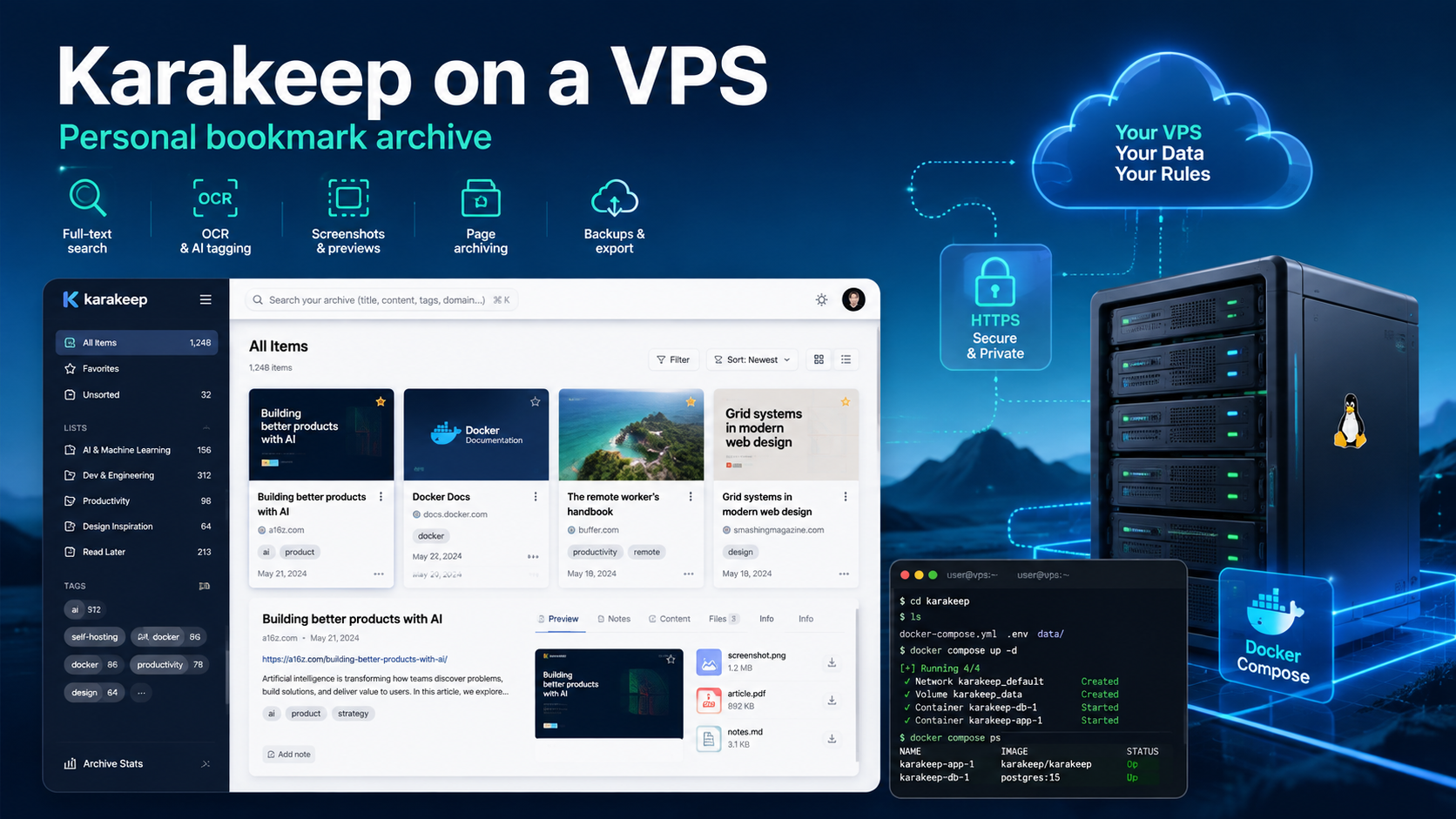
Karakeep: installing a personal bookmark archive on a VPS
Saving a link is easy. Finding it six months later is harder—especially if the page has changed, disappeared, or become lost among hundreds of bookmarks.
Karakeep stores not only the URL, but also the page content, preview, notes, images, and PDFs. You can search the archive by text, organize items into lists, and automatically tag them with AI. It runs on your own VPS, and connecting a language model is optional.
Below, we will cover Karakeep’s capabilities, server requirements, and installation on Ubuntu 24.04 with Docker Compose, HTTPS, and backups.
Karakeep in seven steps
- Create a Linux VPS and point a subdomain such as
keep.example.comto it. - Install Docker Engine and Docker Compose.
- Download the official
docker-compose.yml. - Generate secrets and start Karakeep, Chrome, and Meilisearch.
- Close the internal port 3000 and enable HTTPS through Caddy.
- Create the first account, then disable open registration.
- Install the browser extension or mobile app and import your bookmarks.
An AI key is not required to start the service. Without it, page saving, lists, notes, OCR, and full-text search will continue to work. Automatic tags and summaries will not be generated.
What Karakeep is
Karakeep is an open-source, self-hosted application for storing links, text notes, images, and PDFs in a single library. The project was previously called Hoarder.
The name comes from the Arabic word karakeeb, used for scattered things that look like clutter but may have hidden value. This accurately describes a typical bookmark collection: there is plenty of useful material, but finding the right item is difficult.
After you add a link, Karakeep retrieves its title and description, extracts readable text, creates a preview, and can save a local copy of the page when needed.
| Feature | Browser bookmarks | Karakeep |
|---|---|---|
| What is stored | URL and title | Text, preview, notes, and attachments |
| Search | By title and address | By content, tags, and notes |
| If the page disappears | A broken URL remains | Text, a screenshot, or a complete archive remains |
| Organization | Folders | Tags, manual lists, and smart lists |
| Access | In the browser | Web, extensions, iOS, and Android |
| Server | Browser profile or its cloud service | Your VPS or home server |
Main Karakeep features
Links, notes, images, and PDFs
Each item can be a link, text note, or uploaded file. OCR extracts text from images and PDFs, so they also become searchable. You can attach a note, quotation, or additional file to an item.
Content search
Meilisearch indexes saved text, notes, and metadata. You do not need to remember the exact title: a phrase or topic is enough. When embeddings are configured, semantic search by meaning is also available.
Smart and collaborative lists
A single item can belong to several lists at once without duplication. A list can remain private, be shared through a link, or be edited together with other users.
A smart list is a saved search query that updates automatically. For example, it can show all items tagged ai that were added during the past week.
Page archiving
By default, Karakeep stores the extracted text and a screenshot of the visible part of the page. You can additionally enable a full-page snapshot, PDF, or self-contained HTML archive. This protects the library from dead links but increases disk usage.
Pages behind authentication, advanced anti-bot protection, and interactive applications may not be saved completely. Important materials are better uploaded separately as a PDF or file.
Optional AI tagging
Karakeep can generate tags and short summaries through an external OpenAI-compatible API or a local Ollama model. Without AI, the application remains a fully functional bookmark manager.
A local model does not send materials to an external provider, but it requires significantly more RAM. For this reason, Ollama is often hosted separately from the main Karakeep instance.
Karakeep server requirements
The official documentation does not specify a fixed minimum for CPU and RAM. A complete installation includes three containers:
- Karakeep stores the database and serves the interface;
- headless Chrome opens pages, runs JavaScript, and takes screenshots;
- Meilisearch indexes the library.
A practical configuration for one user without a local LLM is:
- 2 vCPU;
- 2 GB RAM;
- 20–30 GB SSD or NVMe;
- Ubuntu 24.04 LTS;
- a public IP address and a domain.
For several users, a large import, many RSS feeds, and PDFs, 4 GB RAM is more comfortable. Disk requirements depend on the archiving mode: text uses little space, while full screenshots, PDFs, and videos can quickly enlarge the library.
How to install Karakeep on a VPS
This example uses Ubuntu 24.04 and the keep.example.com subdomain.
1. Configure DNS and the firewall
Create an A DNS record pointing to the server IP address, then connect over SSH:
ssh root@SERVER_IP
apt update && apt upgrade -y

ufw allow OpenSSH
ufw allow 80/tcp
ufw allow 443/tcp
ufw --force enable
Do not close the current SSH session until you have verified that a new connection works.
2. Install Docker
apt install -y ca-certificates curl
install -m 0755 -d /etc/apt/keyrings
curl -fsSL https://download.docker.com/linux/ubuntu/gpg \
  -o /etc/apt/keyrings/docker.asc
chmod a+r /etc/apt/keyrings/docker.asc

tee /etc/apt/sources.list.d/docker.sources > /dev/null <<EOF
Types: deb
URIs: https://download.docker.com/linux/ubuntu
Suites: $(. /etc/os-release && echo "${UBUNTU_CODENAME:-$VERSION_CODENAME}")
Components: stable
Architectures: $(dpkg --print-architecture)
Signed-By: /etc/apt/keyrings/docker.asc
EOF

apt update
apt install -y docker-ce docker-ce-cli containerd.io \
  docker-buildx-plugin docker-compose-plugin
docker compose version
3. Download the Karakeep configuration
mkdir -p /opt/karakeep
cd /opt/karakeep

curl -fsSLo docker-compose.yml \
  https://raw.githubusercontent.com/karakeep-app/karakeep/main/docker/docker-compose.yml
Generate two different secrets:
openssl rand -base64 36
openssl rand -base64 36 | tr -dc 'A-Za-z0-9'
Create /opt/karakeep/.env:
KARAKEEP_VERSION=release
NEXTAUTH_SECRET=INSERT_THE_FIRST_SECRET
MEILI_MASTER_KEY=INSERT_THE_SECOND_SECRET
NEXTAUTH_URL=https://keep.example.com
DISABLE_SIGNUPS=false
DB_WAL_MODE=true
RATE_LIMITING_ENABLED=true
Do not publish .env: the first secret signs authentication tokens, while the second protects Meilisearch.
4. Close the internal port
In docker-compose.yml, replace:
ports:
  - 3000:3000
with:
ports:
  - 127.0.0.1:3000:3000
This prevents port 3000 from being directly accessible from the internet.
5. Start the containers
cd /opt/karakeep
docker compose up -d
docker compose ps
The web, chrome, and meilisearch services should be running. View the logs with:
docker compose logs --tail=2006. Enable HTTPS
apt install -y caddy

cat > /etc/caddy/Caddyfile <<'EOF'
keep.example.com {
    reverse_proxy 127.0.0.1:3000
}
EOF

caddy validate --config /etc/caddy/Caddyfile
systemctl reload caddy
If DNS is configured and ports 80 and 443 are open, Caddy will obtain a TLS certificate automatically. Then open https://keep.example.com.
7. Create an administrator and close registration
The first registered user automatically becomes an administrator. After creating the account, set the following in .env:
DISABLE_SIGNUPS=trueApply the change:
cd /opt/karakeep
docker compose up -d
The administrator will still be able to create other accounts manually.
Importing data, extensions, and mobile apps
Karakeep offers extensions for Chrome, Firefox, and Safari, as well as apps for iOS and Android. On a phone, a link can be sent to the archive through the system Share menu.
Existing bookmarks can be imported from a standard browser HTML file, Pocket, Omnivore, and other supported services. It is better to add a large archive in batches: the server must open the pages, extract text, create screenshots, and build the search index.
How to enable AI and full-page archiving
For OpenAI, add the following to .env:
OPENAI_API_KEY=YOUR_API_KEYAnother OpenAI-compatible service may additionally require OPENAI_BASE_URL. For a local model, use OLLAMA_BASE_URL with an address accessible from the container.
Enable a complete local copy of a page separately:
CRAWLER_FULL_PAGE_ARCHIVE=trueThe options CRAWLER_FULL_PAGE_SCREENSHOT=true and CRAWLER_STORE_PDF=true are also available. Do not enable every mode unless necessary: they noticeably increase disk usage. After changing .env, run docker compose up -d.
Security, updates, and backups
The Karakeep crawler opens user-saved addresses from your server’s network. Therefore, do not leave registration open and grant access only to trusted people. Basic SSRF protection is present, but for a public service the official project recommends isolating the browser or routing it through a restricted proxy.
Also use HTTPS, strong passwords, do not expose port 3000, and update the containers regularly:
cd /opt/karakeep
docker compose up --pull always -d
The main database and saved materials are stored in the Docker volume named data. Stop the containers before copying it:
mkdir -p /var/backups/karakeep
cd /opt/karakeep
docker compose stop

docker run --rm \
  -v karakeep_data:/source:ro \
  -v /var/backups/karakeep:/backup \
  alpine sh -c 'tar czf /backup/data-$(date +%F).tar.gz -C /source .'

cp .env docker-compose.yml /var/backups/karakeep/
docker compose start
The name karakeep_data assumes that the project directory is /opt/karakeep; you can verify it with docker volume ls. The Meilisearch index can be rebuilt, but for a large library it is also useful to back up the karakeep_meilisearch volume.
Send the archive from /var/backups/karakeep to another server, NAS, or object storage. A copy on the same VPS does not protect against disk failure or deletion of the virtual machine.
Which VPS to choose for Karakeep
For a personal library without Ollama, a Linux VPS with 2 vCPU, 2 GB RAM, and 20–30 GB NVMe is suitable. For a large import, several users, and full archiving, choose 4 GB RAM and a larger disk.
Karakeep can be run on a VPS from tropic.host: a permanent IP address simplifies domain configuration, while NVMe storage is useful for SQLite, the search index, and many small files. Resources can be increased as the archive grows.
Plan local Ollama resources separately: even a small language model may require more memory than the entire main Karakeep stack.
Conclusion
Karakeep turns scattered links into a personal searchable library. It saves pages, notes, images, and PDFs, and supports OCR, lists, extensions, mobile apps, and optional AI tagging.
A small VPS, Docker Compose, a domain, and HTTPS are enough to get started. After installation, close registration, monitor disk usage, and keep an external backup.
FAQ
Is Karakeep free?
The self-hosted version is open source and does not require a mandatory subscription. You pay for the VPS, domain, backup storage, and, when needed, an external AI API.
Is an API key required for Karakeep to work?
No. Saving and indexing materials, lists, notes, OCR, and full-text search work without AI. A model is needed for automatic tags, summaries, and related features.
How much RAM does Karakeep need?
A practical starting point for one user without Ollama is 2 GB RAM. For large imports, several users, and active processing, 4 GB is more convenient.
Can I import bookmarks from a browser or Pocket?
Yes. Karakeep supports a standard browser bookmark HTML file, Pocket, Omnivore, and several other formats. After import, Karakeep processes the pages and adds them to search.
Will an article remain available if the original website disappears?
Karakeep stores extracted text and a screenshot and, when full archiving is enabled, a local copy or PDF. Pages behind authentication and complex web applications may be saved only partially.