
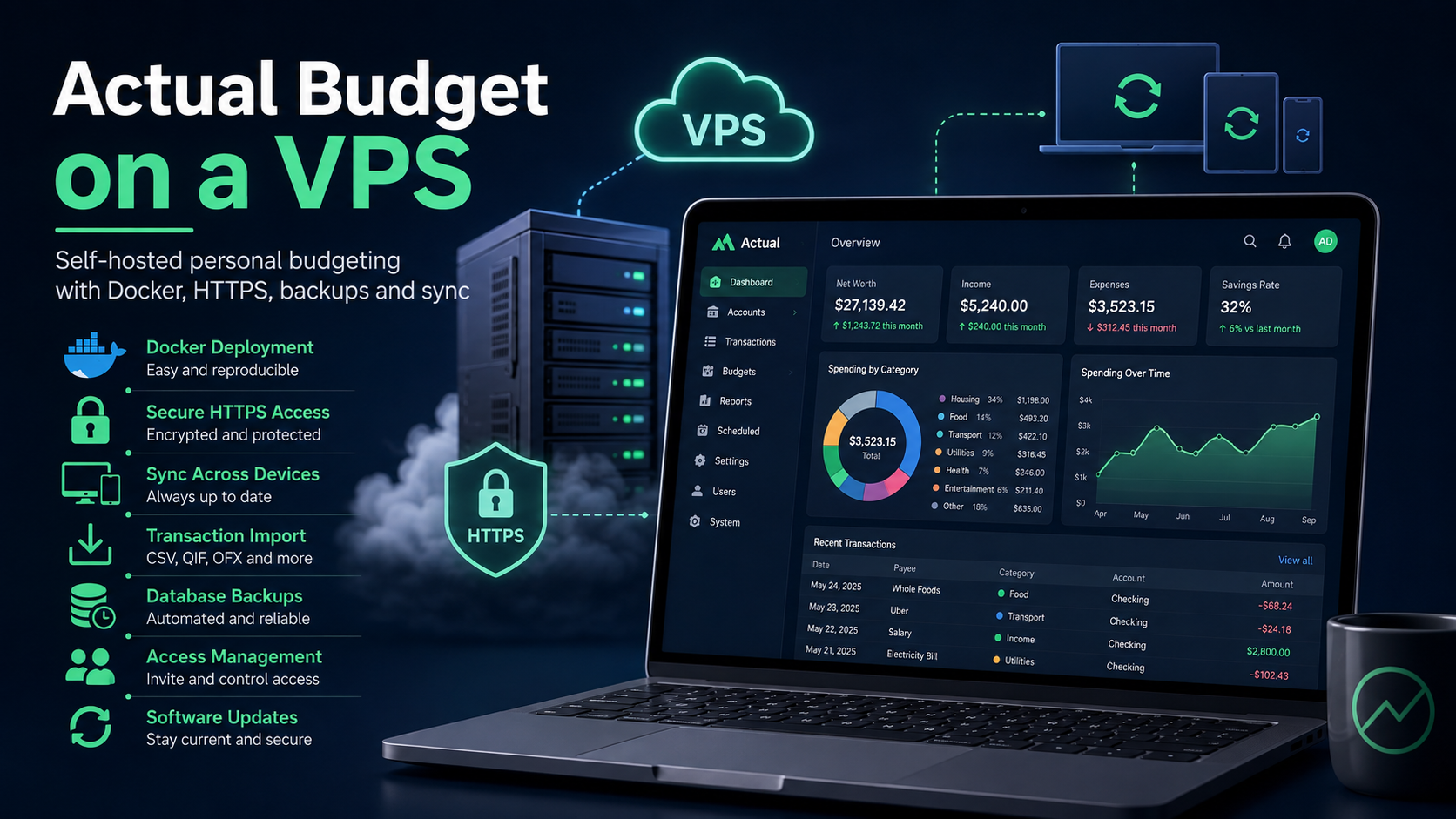
Actual Budget: your own personal budget manager on a VPS
A banking app shows where your money has already gone. Actual Budget answers a different question: how much of the available balance can you really spend when some of it is already intended for rent, groceries, a vacation, and unexpected expenses?
Actual Budget is a free, open-source personal finance manager. It works locally, synchronizes through your own server, and supports end-to-end encryption. This guide covers its features, limitations, and installation on a VPS.
Actual Budget in seven steps
- Create a Linux VPS and point a subdomain to it, such as
budget.example.com. - Install Docker and Docker Compose.
- Run the official container with a persistent data directory.
- Enable HTTPS through Caddy.
- Set a server password and create a budget.
- Add accounts, categories, rules, and recurring payments.
- Enable encryption and configure an external backup.
What is Actual Budget?
Actual Budget is a self-hosted application for managing a personal or family budget. It is often considered an open-source alternative to YNAB, but you can also start with a completely new budget.
The service uses the virtual envelope budgeting method. Suppose your accounts contain 100,000 rubles. Of that amount, 40,000 is needed for housing, 20,000 for groceries, 10,000 for utilities, and 15,000 for an emergency fund. Once the money is assigned, only 15,000 rubles remain for optional purchases—not the full 100,000.
This approach changes the role of the application. A conventional expense tracker explains past spending, while Actual Budget helps you make a decision before a purchase. Unused money in a category rolls over, and when you overspend, you can move money from another envelope.
Another distinction is its local-first architecture. The budget is stored on connected devices and remains available without an internet connection. When a connection becomes available, changes synchronize through the server. The VPS is primarily used to exchange data between a computer, phone, and browsers, not to process every operation.
Key features of Actual Budget
- Envelope budgeting. You assign only money that you have already received.
- Accounts and transactions. It supports transfers, splitting one purchase across several categories, notes, and balance reconciliation.
- Rules and schedules. You can clean up bank descriptions, assign categories, and plan for salary, rent, or subscriptions in advance.
- Import. CSV, QIF, OFX, QFX, and CAMT are supported. Formats that include transaction identifiers offer better protection against duplicates.
- Reports. Cash flow, net worth, spending, and customizable charts are available.
- Migration and API. The application can import data from YNAB4 and the current version of YNAB, and it provides an API for custom integrations.
On a phone, Actual Budget is installed as a PWA—a web application added to the home screen. It is worth checking the mobile interface in advance to make sure it suits you.
| Parameter | Cloud service | Actual Budget |
|---|---|---|
| Storage | At the provider | On the device and your own server |
| Offline use | Depends on the service | Core features are available locally |
| Maintenance | Handled by the provider | Handled by the owner |
| Software cost | Subscription or free plan | No mandatory subscription |
| Data control | According to the provider's policies | Controlled by the server owner |
Actual Budget is suitable for people who value privacy and control. A cloud service is more convenient when you do not want to maintain a server.
Actual Budget server requirements
The project does not publish strict minimum CPU and RAM requirements. The server mainly synchronizes small amounts of financial data, so a reasonable starting configuration for one person or a family is:
- 1 vCPU;
- 1 GB of RAM;
- 10 GB SSD;
- Ubuntu 24.04 LTS;
- a domain or subdomain;
- external storage for a backup.
This is a practical recommendation, not an official minimum. If you plan to run other containers, it is better to allocate 2 GB of RAM.
How to install Actual Budget on a VPS
This example uses Ubuntu 24.04 and the subdomain budget.example.com.
1. Prepare the server
Create an A DNS record pointing to the VPS IP address, connect over SSH, and open only the required ports:
ssh root@SERVER_IP

apt update && apt upgrade -y
apt install -y ca-certificates curl ufw

ufw allow OpenSSH
ufw allow 80/tcp
ufw allow 443/tcp
ufw enable
2. Install Docker
Add the official Docker repository:
install -m 0755 -d /etc/apt/keyrings
curl -fsSL https://download.docker.com/linux/ubuntu/gpg \
  -o /etc/apt/keyrings/docker.asc
chmod a+r /etc/apt/keyrings/docker.asc

cat > /etc/apt/sources.list.d/docker.sources <<EOF
Types: deb
URIs: https://download.docker.com/linux/ubuntu
Suites: $(. /etc/os-release && echo "${UBUNTU_CODENAME:-$VERSION_CODENAME}")
Components: stable
Architectures: $(dpkg --print-architecture)
Signed-By: /etc/apt/keyrings/docker.asc
EOF

apt update
apt install -y docker-ce docker-ce-cli containerd.io \
  docker-buildx-plugin docker-compose-plugin
3. Start Actual Budget
mkdir -p /opt/actual-budget/data
cd /opt/actual-budget

cat > compose.yml <<'EOF'
services:
  actual:
    image: actualbudget/actual-server:latest
    restart: unless-stopped
    ports:
      - "127.0.0.1:5006:5006"
    volumes:
      - ./data:/data
EOF

docker compose up -d
docker compose ps
Binding the service to 127.0.0.1 prevents port 5006 from being exposed directly to the internet. Budgets are stored in /opt/actual-budget/data and are not deleted when the container is updated.
4. Enable HTTPS
apt install -y caddy

cat > /etc/caddy/Caddyfile <<'EOF'
budget.example.com {
    reverse_proxy 127.0.0.1:5006
}
EOF

caddy validate --config /etc/caddy/Caddyfile
systemctl reload caddy
When DNS points to the VPS and ports 80 and 443 are accessible, Caddy obtains a TLS certificate automatically. Open https://budget.example.com and set a long server password.
How to configure your first budget
You do not have to begin by importing several years of history. It is faster to add the accounts you currently use, enter their present balances, and create categories for essential payments, everyday expenses, savings, and irregular costs.
Assign only money that is already available until the amount “To Budget” reaches zero. Then import recent transactions, verify the balances, and create rules for frequently used stores, subscriptions, and transfers.
Categories should help you make decisions. Separate envelopes for “healthcare,” “device repairs,” and “annual subscriptions” are more useful than one general “miscellaneous” category.
What you need to know about bank synchronization
Bank connections are not available in every country and depend on the supported API provider. They require your own server and additional credentials. Actual Budget does not run synchronization fully automatically: the user starts it from the interface.
Bank connection tokens are stored separately on the server and are not covered by the budget's end-to-end encryption. If a particular bank is not supported, transactions can be imported from a statement. OFX and QFX are usually more convenient than CSV because they contain transaction identifiers.
Encryption, backups, and updates
End-to-end encryption is enabled separately for each budget. Store the password in a password manager because the server cannot recover it. Actual Budget does not encrypt its local copy itself, so the phone and computer should be protected with a lock code and disk encryption.
Synchronization is not a substitute for a backup. Regularly export the budget from the settings and copy the data directory to another location:
cd /opt/actual-budget
docker compose stop
tar -czf /root/actual-budget-$(date +%F).tar.gz data
docker compose start
Move the archive outside the VPS. Before an update, create another copy and then run:
cd /opt/actual-budget
docker compose pull
docker compose up -d
For regular use, choose the stable latest tag rather than the experimental nightly tag.
Which VPS should you choose for Actual Budget?
A personal instance does not need a powerful server. A basic Linux VPS from tropic.host is enough to host Actual Budget, Caddy, and a subdomain with HTTPS. Starting with 1 GB of RAM is reasonable; increase resources only when you add other self-hosted services.
Do not expose port 5006 directly, install updates, and keep at least one backup outside the primary VPS. The security of a self-hosted service depends on how its owner configures it.
Limitations of Actual Budget
Actual Budget requires self-maintenance. Bank synchronization is limited by country and provider, the mobile version works as a PWA, and losing the encryption password can make the budget inaccessible.
The service will not suit everyone, but it solves a specific task well: it combines envelope budgeting, automation, and control over your data without requiring a subscription.
Summary
Actual Budget turns expense tracking into a plan: every amount you receive is assigned a purpose in advance. The application works locally, synchronizes through your own server, and supports imports, rules, reports, and encryption.
A small VPS is enough to run it. After installation, the most important steps are enabling HTTPS, storing the encryption password safely, and configuring an external backup.
FAQ
Is Actual Budget free?
Yes. The application is open source and does not require a mandatory subscription. The VPS, domain, and backup storage are paid separately.
Do I have to install Actual Budget on a VPS?
No. You can use it locally on a single computer. A server is needed for synchronization between devices, bank connections, API access, and permanent web access.
Can I connect Actual Budget to my bank?
Yes, provided that the bank and region are supported by one of the available providers. Otherwise, transactions can be imported from CSV, QIF, OFX, QFX, or CAMT files.
Is it safe to store a budget on my own server?
Yes, when configured correctly, but the owner is responsible for security. You need HTTPS, a long password, encryption, updates, and external backups.
How much RAM does Actual Budget need?
There is no official minimum. For a personal instance, 1 GB of RAM is a practical starting point; if you host other services, it is better to allocate 2 GB.